Frequent donor
Ron
Donates again and again, with a note that just says “IFME Projekt”. A big part of why IFME is still maintained.
IFME / 動画エンコーダー
My oldest project that is still maintained, and my biggest after xPON. It started in 2012 as a way to shrink game recordings while I was studying at APU in Kuala Lumpur. Thirteen years later it encodes, remuxes and repackages whole anime libraries.
Before OBS, game recording meant FRAPS. FRAPS saved nearly raw video, so a few minutes of play filled gigabytes. I wanted to keep those recordings for nostalgia and rewatch them years later, without buying a new hard disk every month. So I wrote a small window in front of x264 to make them smaller.
The name comes from IF, a character from Hyperdimension Neptunia. It was going to be IF Media Encoder, but that artwork belongs to someone else. So IF became Internet Friendly — which is what it does: compress media for delivery over the internet.
It has outgrown that first job. IFME now remuxes, merges and repackages streams, keeps subtitles and fonts, and batches whole collections.
Figures as of November 2026, from the IFME repository.
What it does now / できること
Eight interfaces / 使いやすさ
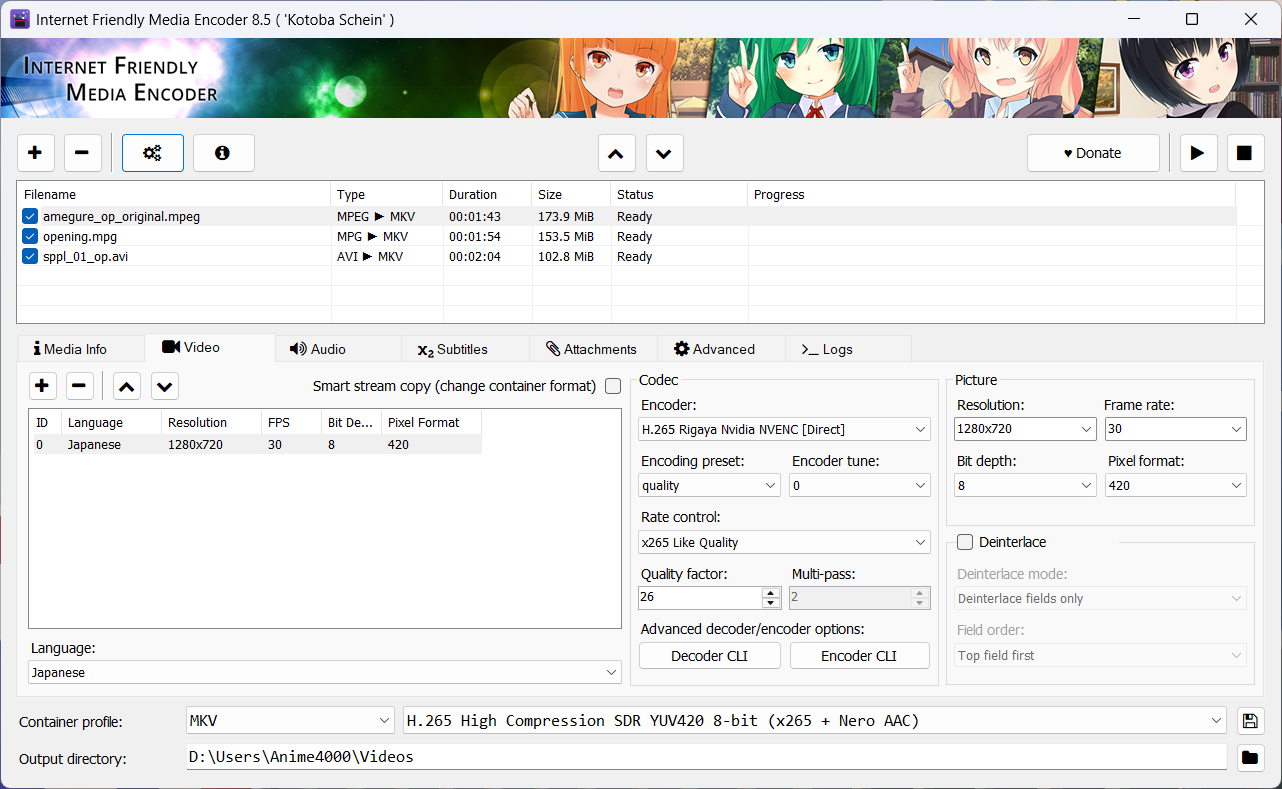
The early interfaces were odd. Every time people told me where they got lost, the interface changed — eight times in all. Version 8 is the last one, because it finally meets the aim: you know what to do without asking, and without opening the documentation.
In HandBrake you apply settings to each item in the queue, one at a time. In IFME you select them all and set them once.
Every sub-stream follows suit, so the whole batch comes out in harmony. It plays anywhere, and Jellyfin can simply remux it instead of transcoding.
That is what people tell me they love about IFME: it is simple, and it is quick.
Ten files or a full season. Every setting below applies to all of them.
x265 on the CPU, or rigaya's NVEnc and QSVEnc on the GPU.
No upscaling, no downscaling. Each file keeps its own size.
Plays on every phone, TV and browser.
The format every hardware decoder expects.
Quality and speed set one time, not file by file.
Every audio track in every file follows the same settings.
Architecture / 仕組み
IFME does not build any encoder in. Each one is an outside program described by a
small JSON manifest in the Plugins folder, so you can update it, swap it
or add a new one without waiting for an IFME release.
That means you can compile an encoder for your own CPU with -march and
-mtune and get every bit of speed from it. Compiling FFmpeg takes a long
time; you do not need to. Compile x265, drop it in, and enjoy.
cd x265/build/linux
cmake ../../source \
  -DCMAKE_C_FLAGS="-march=native -mtune=native" \
  -DCMAKE_CXX_FLAGS="-march=native -mtune=native"
make -j"$(nproc)"
# then copy the new x265 over the one in IFME's Plugins folder
On Windows, build it the same way in an MSYS2 shell from build/msys with -G "MSYS Makefiles".
Mascots / 看板娘
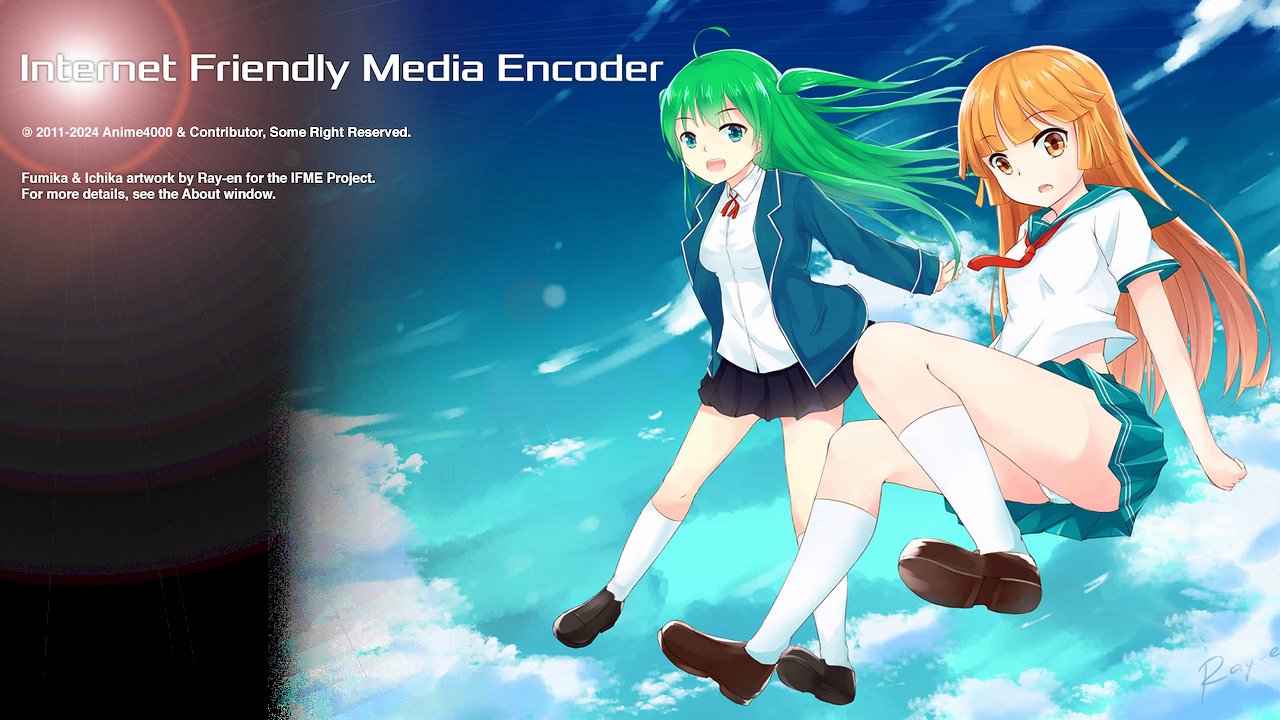
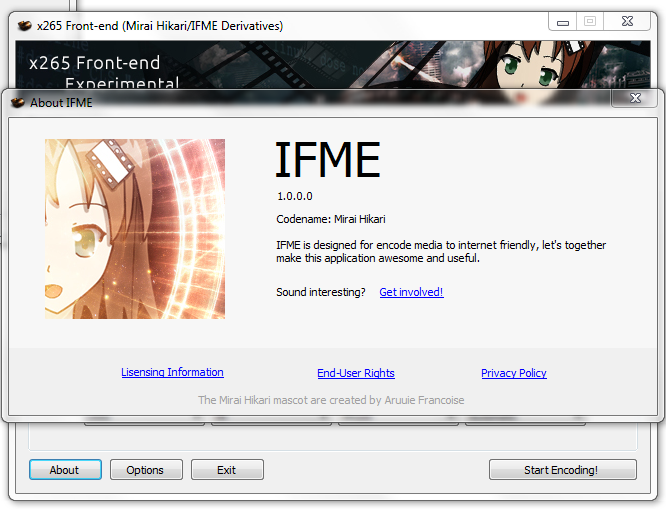
Four girls, one for each letter of the name. They greet you in the About window and on the splash screen.

I for Internet

F for Friendly

M for Media

E for Encoder
Drawn by 53c (formerly known as Ray-en), who has drawn for IFME since version 4.5 in 2014. The artwork belongs to the IFME Project and is licensed under CC BY-NC 4.0.
Back in time / 昔の画面
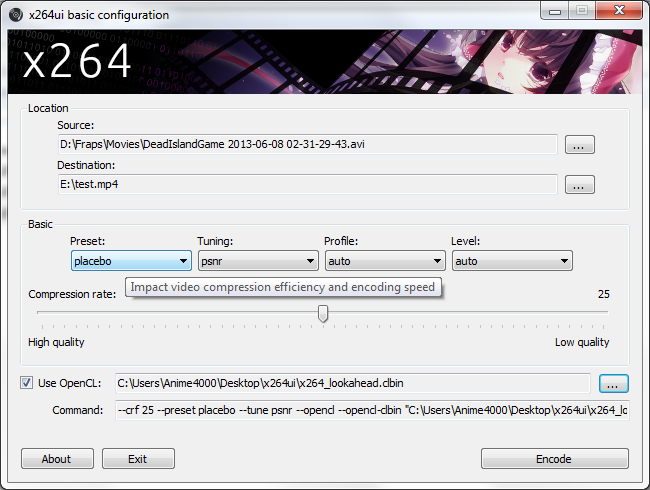
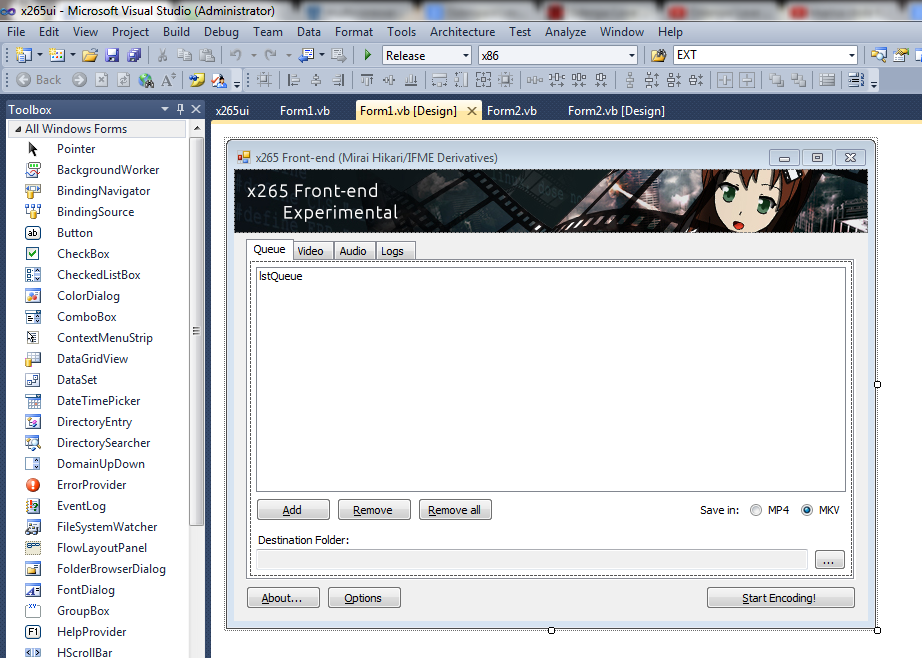
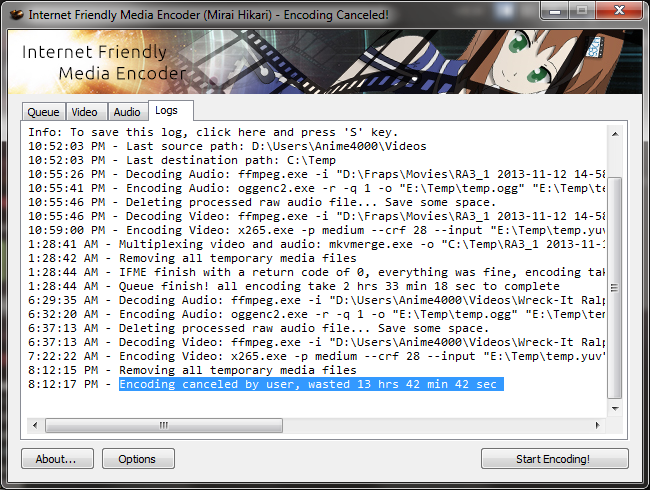
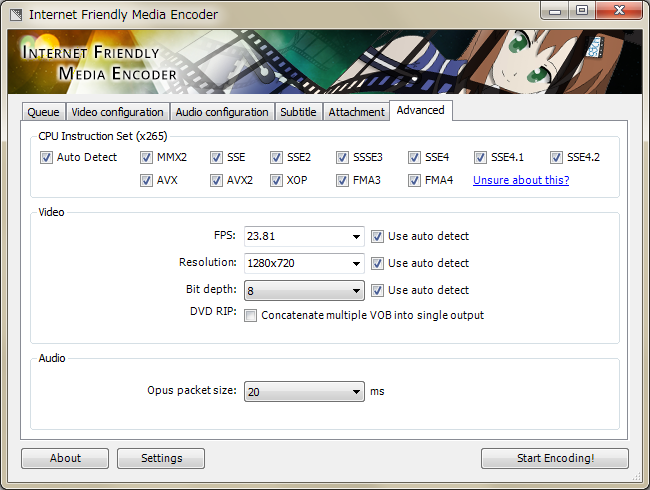
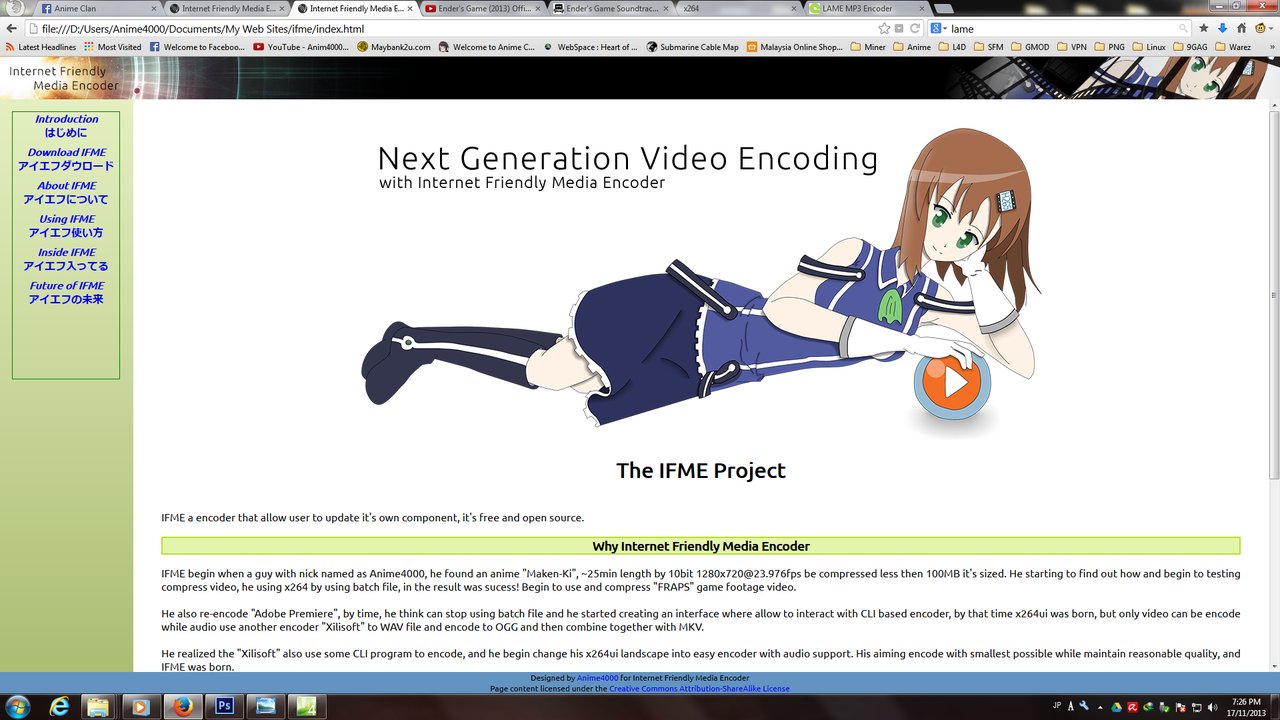
Screenshots from 2013 and 2014, when IFME was written in VB.NET on Windows 7.
Timeline / これまで
Every major version, from the changelog and the git history.
2012
A student at Asia Pacific University in Kuala Lumpur, with a hard disk full of raw FRAPS game recordings.
Apr 2013
A small VB.NET window in front of x264 that made those recordings small enough to keep.
Oct 2013
x264ui grows audio and an early x265, and gets a name. Version 2 adds queue encoding, a debug console and automatic updates.
Jan 2014
64-bit only on .NET 4.0. Subtitles and font attachments, 10-bit encoding, multiple audio streams, and in 3.1 the first translations: Chinese, Indonesian, Japanese, Malay and Norwegian.
Jul 2014
Totally new code, and the first version in Git. Add-ons, an updater for each encoder, CPU affinity and priority, and translation files anyone can edit.
Sep 2015
Rewritten again, better and faster. Native AviSynth, 12-bit encoding, command-line encoding from a saved queue, and IFME running natively on Linux for the first time.
Jan 2016
Plugins identified by GUID, audio file encoding, custom FFmpeg arguments and TrueType collections embedded in the output.
Jun 2017
A complete rewrite on JSON instead of INI, with audio-only encoding. 7.3 learns to take fonts from another video.
Apr 2020
.NET 4.8 and the console moved inside the window. The 21.x alphas add NVENC and taking subtitles from another video.
Oct 2022
The eighth and final rebuild of the interface: select the whole queue and set it once. Fast remux and folder import arrive for Jellyfin and Plex libraries.
Feb 2024
Styled subtitles burned in without fonts.conf — found by reading Jellyfin's FFmpeg logs. rigaya's NVEnc, AVX2 builds of x264 and x265, and automatic letterbox cropping came with the last betas.
May 2025
An interface in Japanese and Chinese, CPU checks at start-up, and IFME 8 back on Linux under Mono.
Aug 2026
The encoding engine no longer touches the interface: the groundwork for headless and command-line use.
Nov 2026
IFME 9 is a Qt 6 interface on a native C core with a command-line encoder, ported from IFME 8 with the help of AI. No .NET, no Mono, same plugins.
Next
IFME 9 takes over from IFME 8, on Windows and Linux, without a runtime to install first.
Self-taught / 独学
Nobody taught me any of this. IFME started in VB.NET, moved to C# for 4.0, and IFME 9 is C and C++ with Qt.
Every language, every tool, learned because IFME needed it.
Along the way: Makefiles, then CMake. Inno Setup installers. Mono, to run on Linux. FFmpeg, x264 and x265 built from source. And plenty of mistakes — for years I read FFmpeg's exit codes wrong, because I tried to work them out alone instead of asking.
I understand that I'm not a professional programmer, but I've done my best.
From the release notes of IFME 8.0 beta 1, 2022.
Supporters / 支えてくれた人
IFME is free and always has been. These are the people who made it possible to keep going.
Frequent donor
Donates again and again, with a note that just says “IFME Projekt”. A big part of why IFME is still maintained.
Anonymous · USA
Bought me a Ryzen 9 3950X, 64GB of RAM, a motherboard and an AIO cooler, retiring my ancient AMD FX machine. Every encoder test since has run on it.
Contributors
People who translated IFME into their own languages since 2014, reported bugs, and rigaya, whose NVEnc and QSVEnc encoders IFME ships.
Donate / 寄付
If IFME saved you some disk space, or some hours, a donation helps pay for the hardware and the time. Any amount is welcome.
PayPal: hitoha4000@outlook.com